As you may have guessed from the name of my website, I have a background in art. I spent my formative years drawing, creating, and gathering my work for display.
When I was in eighth grade, I put together my first portfolio to be judged by professionals. My tools back then were very different from the ones I use now: paintbrushes, canvas, acrylic paint, an art palette, and an easel. My task was to show what I could do artistically and demonstrate that I had the potential to be trained. I was successful and went on to graduate from the High School of Art & Design in New York City.
As a website builder, my tools are very different. Still, the drive to display your range and your best work carries over. Like some of the best portfolios, though, you also have to balance that with restraint.
You may want to show all your best pieces upfront, but with a website you also want to take your visitors on a journey. When it comes to architecture portfolio websites, there are a few things you want to accomplish from the moment a visitor lands on your homepage.
What Makes an Effective Architecture Portfolio Website
When I started designing this architecture website concept, I wanted to preserve the qualities I see in many strong architecture portfolios: large project photography, restrained color, and plenty of space around the work. At the same time, I wanted the page to communicate more about the firm itself, including its approach, experience, project types, and a clear next step for prospective clients.
That portion of the website a visitor immediately sees is called “above the fold.” The name comes from print newspapers, which were often folded. The area above the fold became valuable real estate because it was what readers saw first.
For an architecture portfolio website, one of the most important things to show is great photography of your work. These might be houses you designed, residences you remodeled, offices you transformed, or other spaces you helped bring to life.
But photography should not have to do all the work.
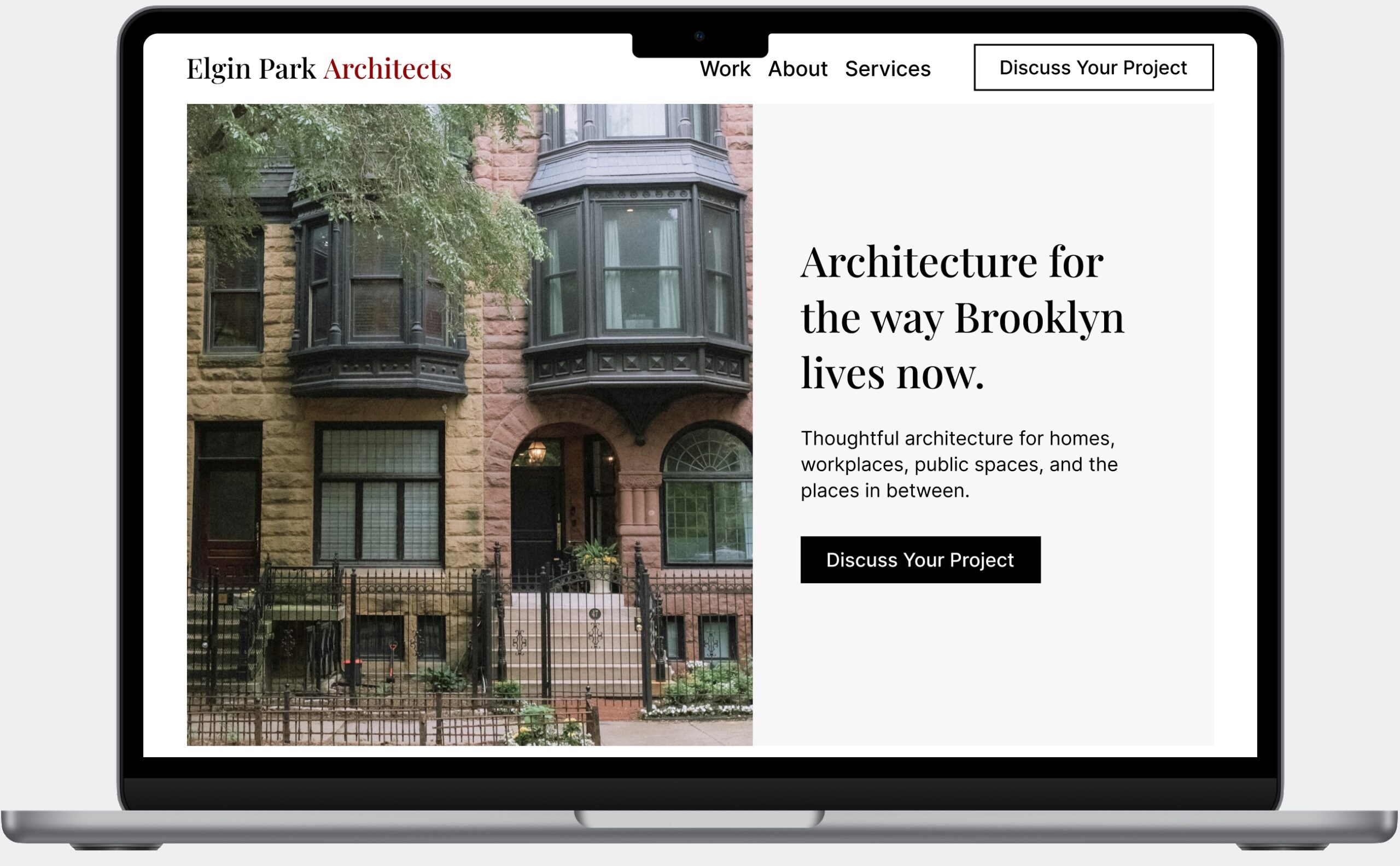
In the above-the-fold area, the name of your firm should also be immediately visible, along with a short description of the type of design work you do or the clients you serve, and a clear call-to-action button.
Here is the journey you want to take your visitors on. Within seconds of reaching your homepage, they should know the name of your firm, see examples of the work you have done, understand something about your approach, and know how to get in touch if they want to learn more.
The goal is not to make an architecture site feel like a sales page. It is to preserve the visual restraint while giving visitors a clearer understanding of the firm and what to do next.
Give Visitors a Clear Next Step
That last part is where the call-to-action button comes in. Button text might say “Discuss Your Project,” “Start a Project,” or “Book a Discovery Call.” It clarifies the next step you want visitors to take if they like your portfolio and are interested in working with you.
As you build out the rest of the homepage, you can expand on your approach, demonstrate your expertise, and show more of your work. Before visitors reach the end of the page, it can also be helpful to include a final section that reinforces the next step you would like them to take.
This is typically called a CTA section, which stands for “call to action.”
Designing an Architecture Website Mockup
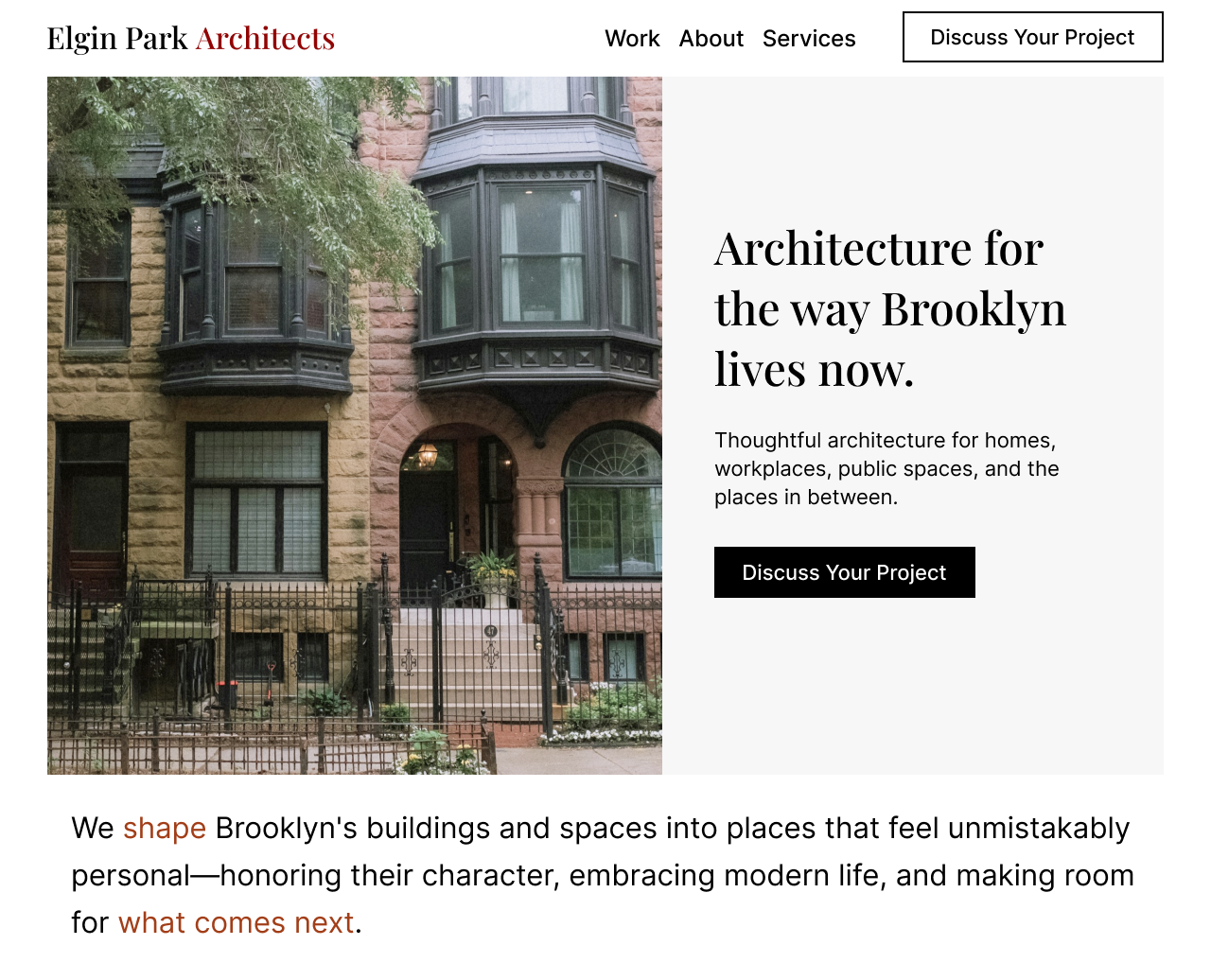
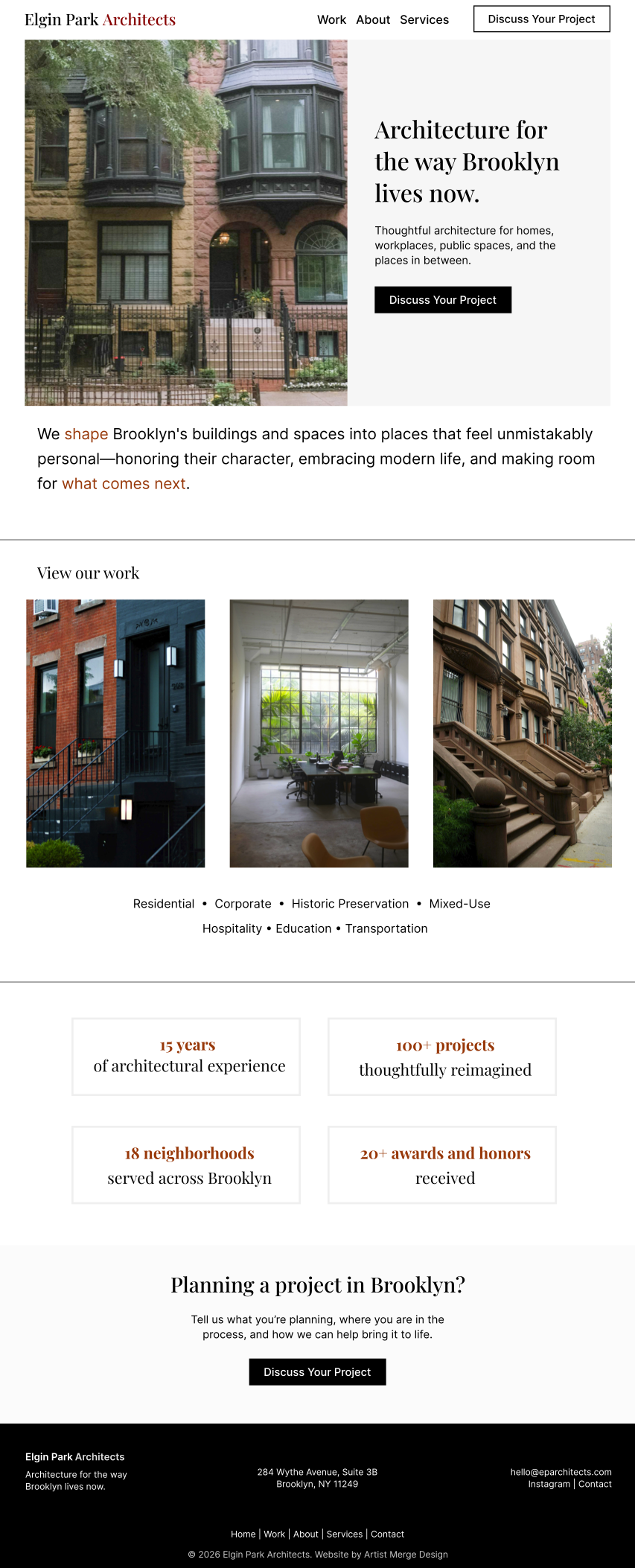
Elgin Park Architects is a mockup I created for a fictional Brooklyn, NY architecture firm.
The design decisions I made keep the core qualities of a portfolio website: strong imagery, restrained color, and an easy way to view more project photography. But the page also tells visitors about the firm’s approach, its expertise, the types of projects it takes on, and the areas it serves.
The primary call to action, “Discuss Your Project,” is reinforced three times: in the navigation, in the Hero section at the top of the page, and again before the footer in a standalone CTA section.
At the top of the page, the first project image is very large and is intended to display as a carousel. Once the page is built, it could cycle through several images the firm wants to highlight.
The next section introduces the firm’s philosophy. The restrained use of color helps highlight the main idea, with select words emphasized in red typography.
In the “View our work” section, the heading could link to the Work section of the website, where visitors could browse a larger gallery or individual project case studies. The three project images shown here would also be clickable. A short line of text also identifies the types of projects the firm works on.
Below that, a statistics section establishes the firm’s experience and credibility. The content is concise, but four key numbers can quickly communicate years of experience, projects completed, neighborhoods served, and awards received.
The final section visitors see before the footer is the standalone call-to-action section. It gives interested visitors a clear next step if they are considering a project and want to speak with the firm.
Most of the page uses a white background so the project photography can stand out. A few sections use a light gray background for contrast, while the footer reverses the palette with a black background and white text.
Designing the Mobile Experience

It is hard to overstate how important a thoughtfully designed mobile experience is for a website. In the United States mobile now accounts for 49.1% of web traffic, slightly ahead of desktop, according to an August 2026 report from StatCounter. For many visitors, the mobile version may be the only version of your portfolio site they ever see.
If a page takes too long to load, visitors may leave. If the site is difficult to navigate on a phone, they may leave for the same reason.
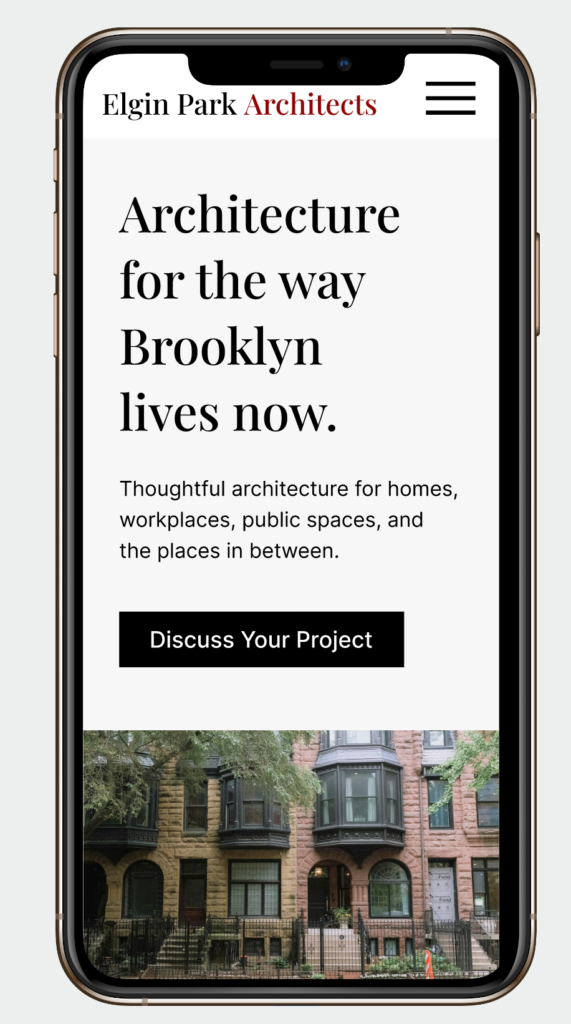
For the mobile version of this design, content that appears side by side on desktop stacks vertically on the narrower screen.
I also changed the order of the Hero section so the main headline, paragraph, and call-to-action button appear above the fold on mobile, followed by the featured project image. This allows visitors to immediately understand who the firm is and what it does without removing the visual impact of the photography.
The alignment and font sizes have also been adjusted for the smaller screen. Mobile design should not simply be a desktop layout squeezed into less space. Typography, spacing, image proportions, and the order of content all need to be considered for the device someone is actually using.
Final Thoughts
The primary purpose of an architecture portfolio website is to show a firm’s best work to potential clients. But an effective website can do more than display projects.
It can communicate the firm’s design philosophy, demonstrate its experience, explain what types of projects it takes on, and give potential clients a clear way to take the next step.
Incredible work paired with a coherent visitor journey can be a powerful combination for reaching people who are considering their next project.
If you have a business of your own and would like to work with me on your website, you can start a website project with me.
Related Content
Case Study: David Kausek
A portfolio website featuring videography, photography, and livestream services.
Leave a Reply